iOS 17+ · Native · Completely free · Open source

Keep swiping.
Photos get organized.

Swipe as smoothly as the Photos app, pinch to zoom. Keep what you love in the tray, flick up what you don't — undo any slip with ↩, and nothing is ever deleted without confirmation.

100k+ itemsopens instantly
Non-destructivenothing deleted unconfirmed
Photos + videosone flow for both
Lumen organize screen

Gestures

The gestures you already know

Nothing to learn. Every move you use in the Photos app just works.

👈
Swipe

Browse through

The next photo follows your finger. Nothing gets decided — you're just looking.

👆
Tap edge

Step with a tap

Tap the screen edges to step back and forth — fast, one-thumb friendly.

🤏
Pinch

Pinch to zoom

Zoom into details with two fingers, double-tap to toggle. While zoomed, dragging pans.

⬆️
Swipe up

Mark for deletion

Flick unwanted photos up — they're only candidates. Everything deletes at once, after you confirm.

🗄
Keep

Into the tray

Keepers go to the tray — filed into your ‘Lumen’ album instantly, to sort properly later.

Undo

One-tap recovery

Swiped the wrong way? One ↩ brings your last action right back — keeps and delete-marks alike.

Feels native

You'll mistake it for the Photos app

Zero main-thread work on tap — smooth not because it's fast, but because it never stutters.

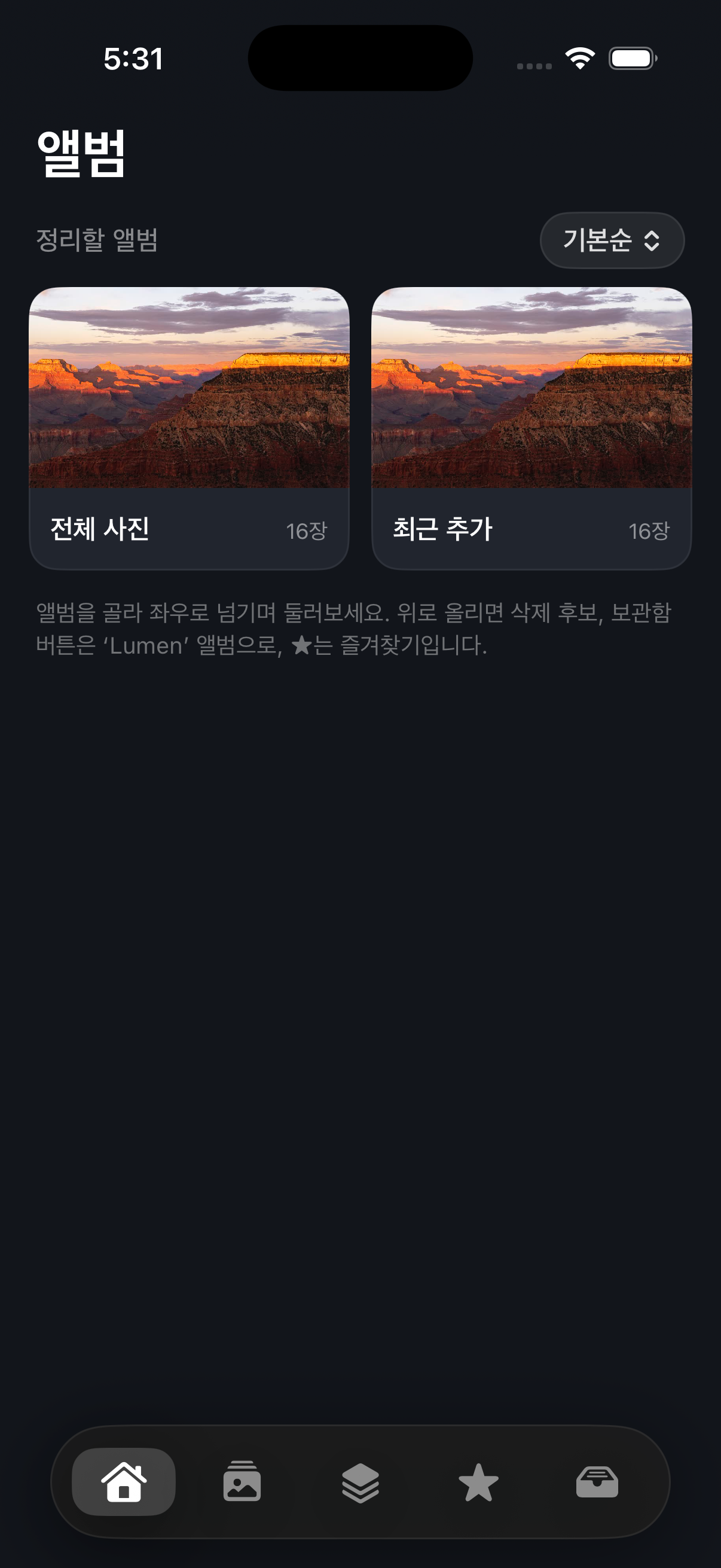
Home — albums to organize
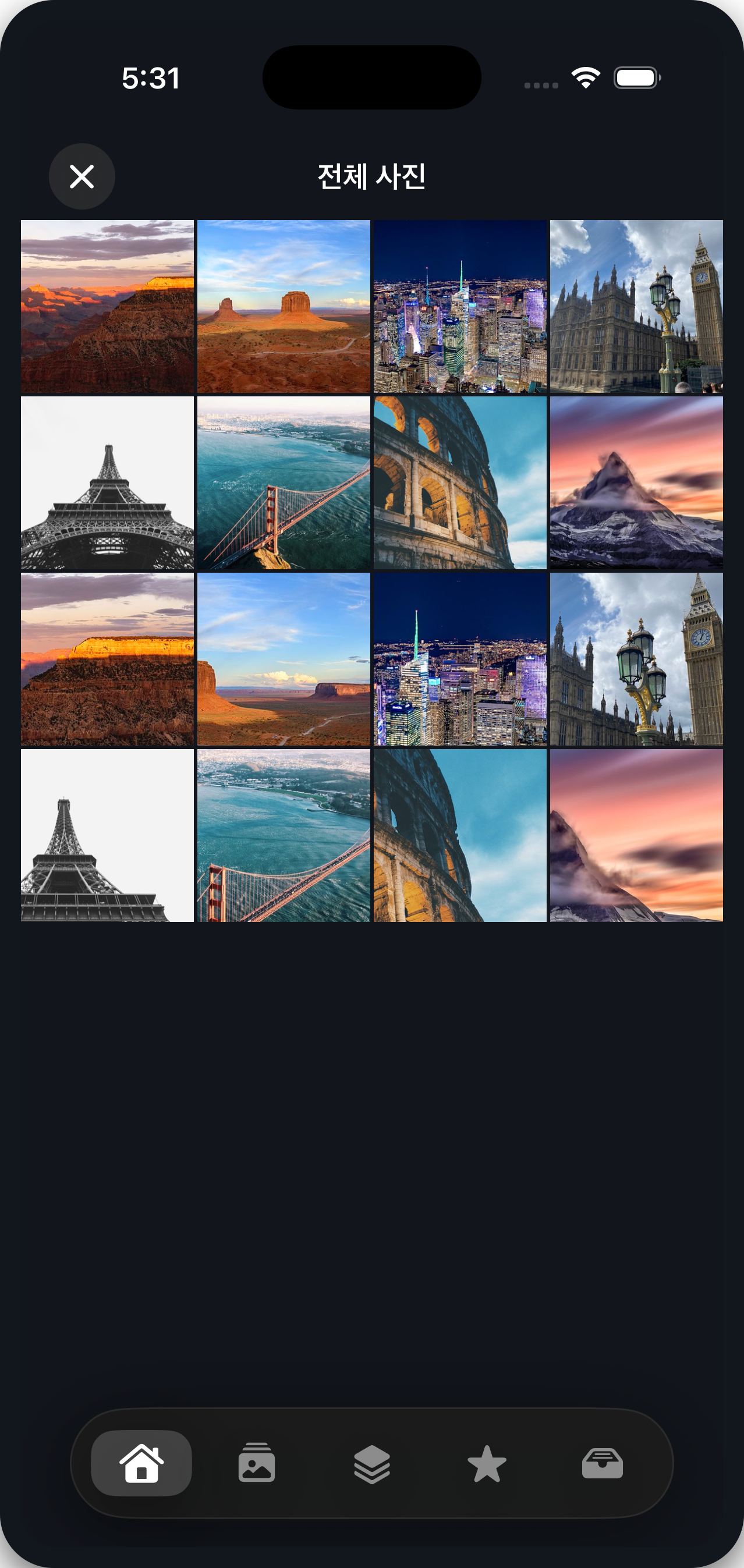
Organize screen
Albums just openNo loading screen gets between your tap and the grid. Photos load exactly as needed.
🪄
Seamless page swipesThe next photo comes in pre-decoded, glued to your finger. No spinners, no flashes.
🔍
Pinch the grid tooResize the thumbnail grid with two fingers and it reflows continuously, Photos-style.
🎬
Videos, same flowDuration badges in the grid, tap to play, scrub to any moment — videos sort right alongside photos.
☁️
iCloud, no problemPhotos not on device show pre-warmed thumbnails fast; originals download only when needed.

Scale

However many photos you have

100k+ items

Huge libraries open instantly

The same speed whether it's 400 photos or 400,000.

📚
Never walks your libraryBuilding the album list and opening albums never iterates your photos. Counts and covers come from queries, instantly.
🧊
Renders only what you seeThe native grid draws visible cells only — scrolling stays glued to your finger at any size.
🎯
Prefetches ahead of youScroll fast and the next screenful of thumbnails is already decoding.

Flow

Pick, swipe, done

01

Pick an album

All photos · Favorites · Videos · Screenshots, or any album. Choose one bundle to organize.

02

Browse through

Swipe side to side, ★ what you love. Start organizing from any photo — not just the first.

03

Organize the keepers

Tap ‘Start Organizing’ and the tray (Lumen album) appears. Flick rejects upward.

04

Confirm and finish

Review keep/delete counts in the summary; deletion happens once, safely. Next time, ‘Resume Organizing’ takes you right back.

Safety

Your photos survive your mistakes

🛟

Safe to stop anytime

Keeps are saved to the Lumen album the moment you tap — they survive the app closing. Next launch, the ‘Resume Organizing’ card returns you to the exact spot.

🛡️

Deletion always confirms

Up-swiped photos are only candidates. Slips undo instantly with ↩, and actual deletion happens once at the end, behind the system confirmation — nothing disappears before that.

Plain Apple ecosystem

Favorites and albums are Apple Photos' own. Delete Lumen and everything you organized stays right there in Photos.

Get started

Build it onto your phone

Not on the App Store yet — a free Apple ID is enough to install it on your own iPhone.

Install with Xcode

  1. git clone, then cd ios && xcodegen generate
  2. Open LumenIOS.xcodeproj in Xcode
  3. Pick your Apple ID team under Signing & Capabilities
  4. Plug in your iPhone → ⌘R → trust the developer in Settings on first run

iOS 17+ · Requires Apple Photos (PhotoKit) access · English/한국어 · MIT License